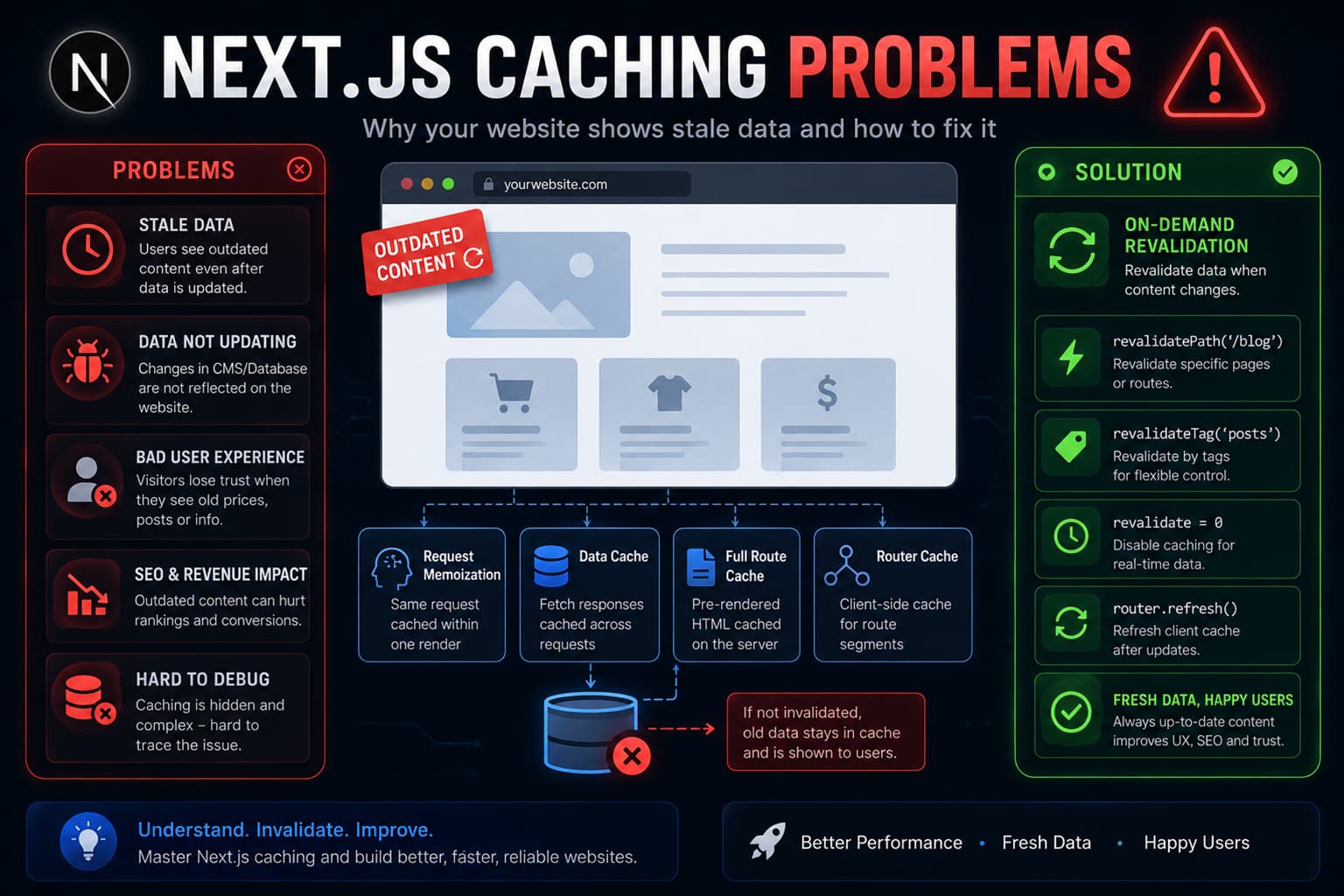
Few things are worse than deploying a brand-new feature to production only to realize your users are still seeing outdated dashboard layouts or stale product inventories. You refresh the page, clear your browser cache, and it still refuses to update. The culprit is almost always the incredibly aggressive, multi-layered internal caching architecture of the modern Next.js framework.
As a professional web designer and developer tracking enterprise production environments, I see more teams struggle with caching inconsistencies than almost any other full-stack friction point. Vercel designed the App Router to cache everything by default to maximize edge delivery speed, but without explicit management, this automatic behavior introduces tricky production bugs. Let's break down the exact configuration steps required to debug your data flow and take absolute control over your state layers.
1. The Four Layers of Next.js Caching: Why Your Data Gets Stuck
To fix a caching issue, you must understand exactly where your data is being retained. The modern runtime coordinates four completely distinct caching environments between the user's browser and your backend server tier:
- Request Memoization: A simple server-side mechanism that prevents duplicate API fetches inside a single render pass. This layer clears automatically after the request finishes.
- Data Cache: A persistent server-side storage system that keeps external API data alive across multiple user sessions and deployments until explicit rules clear it.
- Full Route Cache: Automatically creates static HTML and component node representations of your structural pages during the initial build to minimize compute overhead.
- Router Cache: A client-side browser memory store that caches navigated route segments dynamically, which often explains why clicking the back button displays outdated layouts.
2. Resolving the Stale CMS and Inventory Bug
The most frequent error occurs when developers write standard fetch commands inside their dynamic pages, assuming the application updates the data on every page reload. By default, Next.js caches these fetch statements indefinitely unless you explicitly state otherwise.
If you are pulling real-time content that changes frequently, you must bypass the global data engine. You can declare explicit incremental validation intervals or drop down to a zero-cache posture using direct configuration objects:
// Force an explicit dynamic execution layer
export const dynamic = 'force-dynamic';

// Or opt-out at the specific fetch boundary
const response = await fetch('https://api.yourdomain.com/products', {
  cache: 'no-store'
});
Using cache: 'no-store' bypasses the persistent backend data cache completely, ensuring that every user hit triggers a fresh, live look at your backend infrastructure.
3. Fixing Authentication State Mismatches
Another major headache involves authentication states. Teams frequently optimize dashboard shells using static routes, only to realize that the page is accidentally caching the UI footprint of the first user who logged in, serving parts of their metadata to subsequent visitors.
If a component checks for dynamic cookie values or session credentials, the wrapping page must drop its static compilation traits immediately. Always wrap your dynamic session lookups inside proper server utility blocks. Accessing native functions like cookies() or headers() inside your server layout automatically forces that route segment to switch to a dynamic, user-specific execution mode, preventing cross-user layout leakage.
4. Purging Data on Demand via On-Demand Revalidation
Opting out of all caching mechanisms hurts performance and ruins your server resource management metrics. The ideal balance is leveraging modern On-Demand Revalidation via targeted tag groups.
Instead of turning off the cache entirely, assign a specific tracking tag to your data layout. When an admin updates an article or drops a new item in your store, trigger a targeted server event to flush that specific dependency block without invalidating the rest of your fast, static edge resources:
'use server';
import { revalidateTag } from 'next/cache';

export async function handleInventoryUpdate() {
  // Invalidate specific data layer instantly
  revalidateTag('inventory-feed');
}
Conclusion: Predictability Over Magic
The App Router's caching layers are incredible for scaling infrastructure, but they require direct, explicit declarations. Treating caching as an absolute structural priority rather than an afterthought is the only way to deliver stable full-stack applications that scale smoothly without introducing unexpected layout states.
At Pixel Engine Lab, we build bulletproof, production-grade Next.js systems engineered to maintain extreme performance without compromising your real-time data integrity. Let's audit your current setup and stabilize your dynamic route behavior.
Connect with me today, and let’s run a comprehensive optimization pass across your production data architecture.